TextInput
- reads the first value for the given
url_key - accepts non-empty text values
- uses the widget
valueif the URL value is invalid
The url_key argument lets you initialize widget values directly from URL query parameters.
This is useful when you want to:
url_key doesWhen a widget supports url_key, Mercury reads the corresponding query parameter from the page URL during initialization and uses it to override the widget’s default value.
In practice, this means that code like this:
import mercury as mr
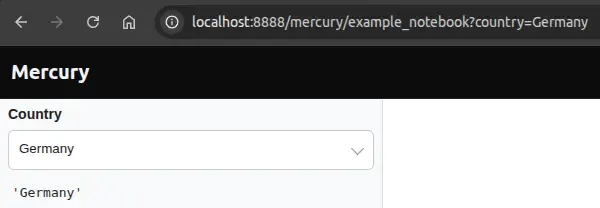
country = mr.Select(    label="Country",    choices=["Poland", "Germany", "France"],    value="Poland",    url_key="country")
can be initialized from a URL such as:
http://localhost:8888/mercury/example_notebook?country=GermanyIn that case, the widget starts with "Germany" instead of "Poland".
url_keyThe following Mercury widgets support url_key:
TextInputNumberInputSliderSelectMultiSelectCheckBoxEach widget validates URL values differently before accepting them.
TextInput
url_keyvalue if the URL value is invalidNumberInput
url_keyvalue if the URL value is invalidSlider
url_keyvalue if the URL value is invalidSelect
url_keychoicesvalue if the URL value is invalidMultiSelect
url_keychoicesvalue if the URL value is invalidCheckBox
url_keytrue or falsevalue if the URL value is invalidCode
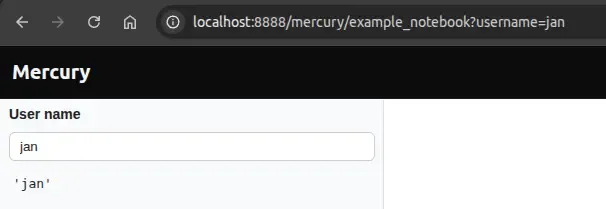
import mercury as mr
username = mr.TextInput(    label="User name",    value="guest",    url_key="username")
username.value
Example URL
http://localhost:8888/mercury/example_notebook?username=janResult
Code
import mercury as mr
rows = mr.NumberInput(    label="Rows",    value=10,    min=0,    max=100,    step=5,    url_key="rows")
rows.value
Example URL
http://localhost:8888/mercury/example_notebook?rows=18Result
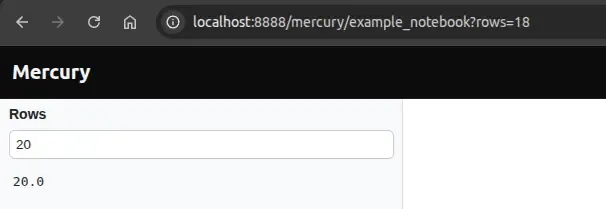
The value is 20 because with step=5, 20 is the closest valid value to 18.
Code
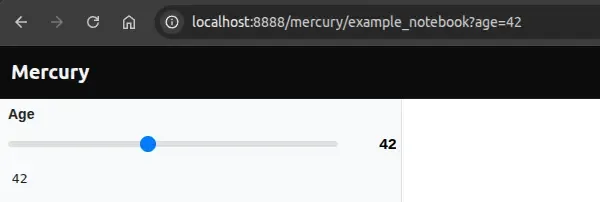
import mercury as mr
age = mr.Slider(    label="Age",    value=25,    min=0,    max=100,    url_key="age")
age.value
Example URL
http://localhost:8888/mercury/example_notebook?age=42Result
Code
import mercury as mr
country = mr.Select(    label="Country",    choices=["Poland", "Germany", "France"],    value="Poland",    url_key="country")
country.value
Example URL
http://localhost:8888/mercury/example_notebook?country=GermanyResult
Code
import mercury as mr
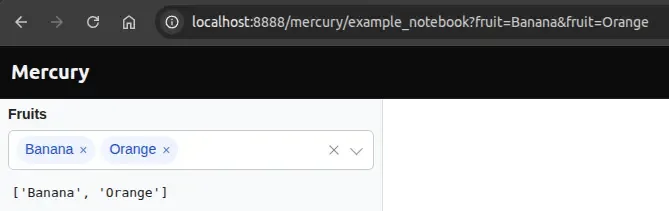
fruits = mr.MultiSelect(    label="Fruits",    choices=["Apple", "Banana", "Orange", "Kiwi"],    value=["Apple"],    url_key="fruit")
fruits.value
Example URL
http://localhost:8888/mercury/example_notebook?fruit=Banana&fruit=OrangeResult
The widget starts with:
Code
import mercury as mr
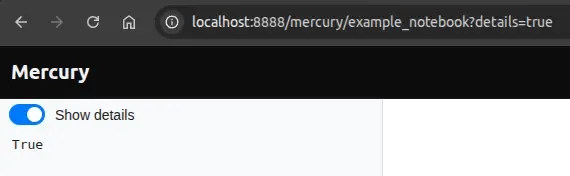
show_details = mr.CheckBox(    label="Show details",    value=False,    url_key="details")
show_details.value
Example URL
http://localhost:8888/mercury/example_notebook?details=trueResult
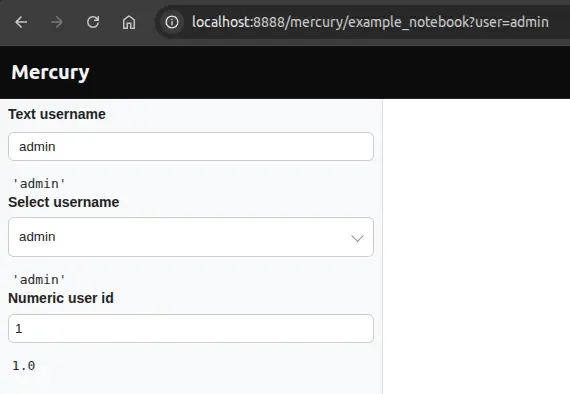
url_key?Multiple widgets can use the same url_key, but each widget interprets the URL value using its own validation rules.
That means the same URL parameter may be accepted by some widgets and ignored by others.
Code
import mercury as mr
text_username = mr.TextInput(    label="Text username",    value="guest",    url_key="user")
select_username = mr.Select(    label="Select username",    choices=["guest", "admin", "editor"],    value="guest",    url_key="user")
number_username = mr.NumberInput(    label="Numeric user id",    value=1,    min=1,    max=100,    url_key="user")
Example URL
http://localhost:8888/mercury/example_notebook?user=adminResult
What happens
TextInput becomes "admin"Select becomes "admin" because it is present in choicesNumberInput ignores "admin" (nonnumeric value) and keeps its fallback valueurl_key makes it possible to initialize Mercury widgets from URL query
parameters, enabling shareable links, bookmarkable state, and URL-driven
defaults.
Choose a clear url_key, provide a sensible fallback value, and test the
exact URL formats your app should support.