Streaming with Thinking Output
In this example we build a chatbot that not only streams the answer — but also streams the model’s thinking process in real time.
This creates an experience where users can see how the model reasons step by step before producing the final answer.
We use:
- Ollama to run the model locally
- GPT-OSS 20B as the model
- Python
- Mercury to turn the notebook into a web app
Full notebook:
https://github.com/mljar/mercury/blob/main/docs/notebooks/ollama-thinking.ipynb
See the basic streaming chatbot example
Section titled “See the basic streaming chatbot example”If you haven’t already, you can also check our streaming LLM chatbot example, which shows how to stream the final answer tokens:
👉 (Streaming LLM chatbot)[/examples/ollama/build-streaming-llm-chatbot/)
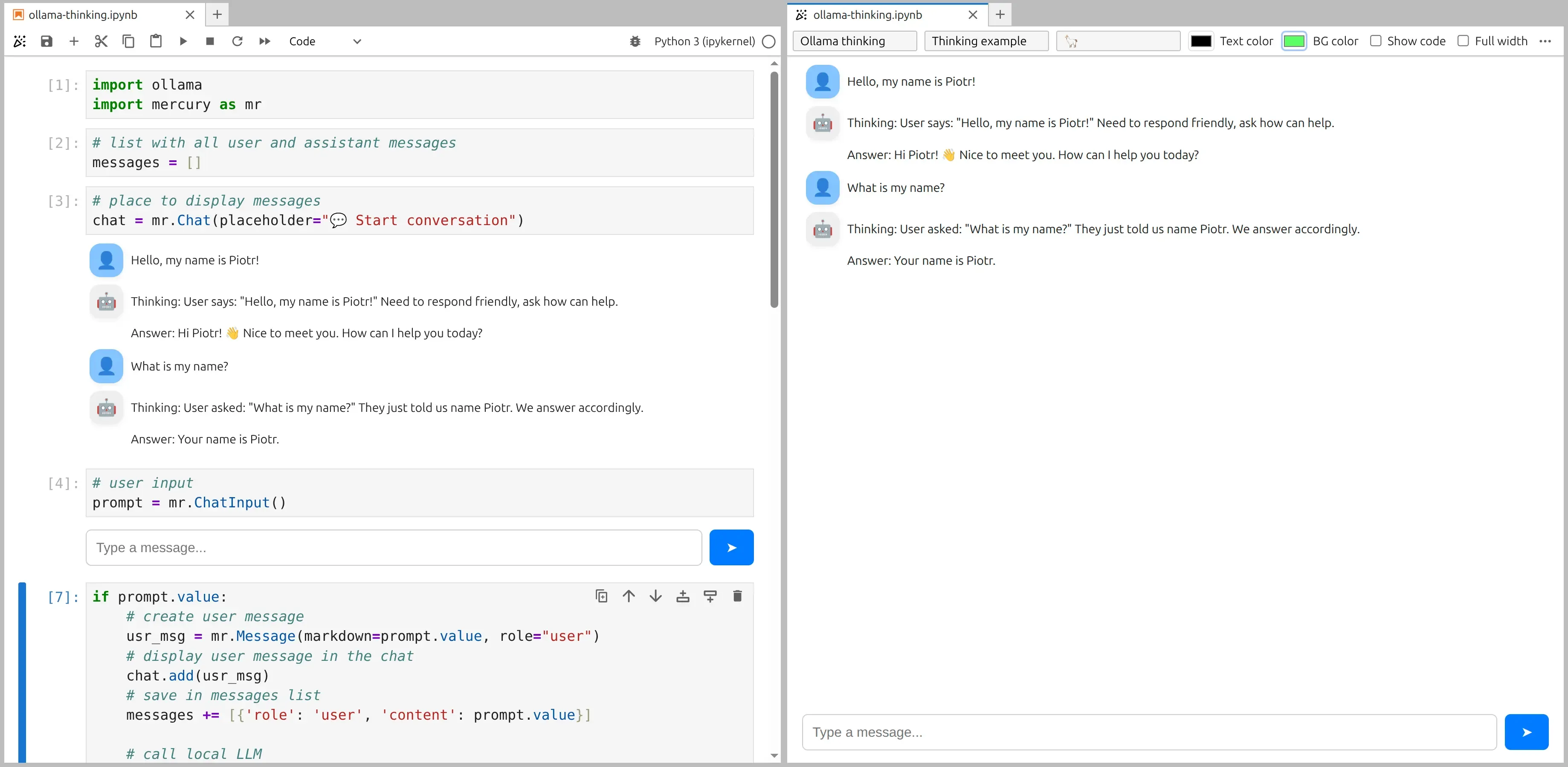
The code that is the same as in streaming example:
import ollamaimport mercury as mr# list with all user and assistant messagesmessages = []# place to display messageschat = mr.Chat(placeholder="💬 Start conversation")# user inputprompt = mr.ChatInput()What is different from a normal streaming chatbot?
Section titled “What is different from a normal streaming chatbot?”In a standard chatbot, we stream only the final answer.
Here, the model sends two types of tokens:
thinking- internal reasoning stepscontent- final user-facing answer
We will display both in the chat UI. The assistant message will look like:
Thinking: ...Answer: ...The response message with thinking and final content:

The key idea
Section titled “The key idea”The whole notebook is the same as the basic streaming chatbot example, except the last code cell.
This cell separates:
- reasoning tokens
- final answer tokens
and streams them differently into the chat.
Streaming thinking + answer
Section titled “Streaming thinking + answer”if prompt.value: # create user message usr_msg = mr.Message(markdown=prompt.value, role="user") chat.add(usr_msg) messages += [{'role': 'user', 'content': prompt.value}]
# call local LLM stream = ollama.chat( model='gpt-oss:20b', messages=messages, stream=True, )
# create assistant message ai_msg = mr.Message(role="assistant", emoji="🤖") chat.add(ai_msg)
# stream thinking and answer separately thinking, content = "", "" for chunk in stream: if chunk.message.thinking: if thinking == "": ai_msg.append_markdown("Thinking: ") thinking += chunk.message.thinking ai_msg.append_markdown(chunk.message.thinking)
elif chunk.message.content: if content == "": ai_msg.append_markdown("\n\nAnswer: ") content += chunk.message.content ai_msg.append_markdown(chunk.message.content)
# save assistant response messages += [{'role': 'assistant', 'thinking': thinking, 'content': content}]How this works
Section titled “How this works”1. The model sends two streams
Section titled “1. The model sends two streams”Each chunk from Ollama may contain:
chunk.message.thinkingchunk.message.content
We check which one is present.
2. When thinking appears
Section titled “2. When thinking appears”if chunk.message.thinking:We:
- print
"Thinking: "only once - append new reasoning tokens as they arrive
This gives a live reasoning effect.
3. When the final answer starts
Section titled “3. When the final answer starts”elif chunk.message.content:We:
- insert a section header
"Answer: " - stream the final text
4. Why store both thinking and content?
Section titled “4. Why store both thinking and content?”messages += [{'role': 'assistant', 'thinking': thinking, 'content': content}]This keeps the full conversation history, including reasoning, so the model can use previous steps in later turns.
- Not all models support streaming reasoning tokens.
- You can hide the “Thinking” section if you want a cleaner UI.
You just built a transparent AI chatbot that shows its reasoning live 💃🚀