Basic echo chat web app in Python
Have you ever heard an echo in the mountains, a cave, or a tunnel? An echo is a simple response: it repeats your voice back to you.
In this tutorial, we will build a simple Echo Chat Bot. It will respond with the same text that the user typed.
You will learn how to use these Mercury widgets:
Chat(/docs/chat/chat/)ChatInput(/docs/chat/chatinput/)Message(/docs/chat/message/)
Below is the screenshot of echo bot developed in Python notebook. In the left there is notebook code, in the right there is live app preview:
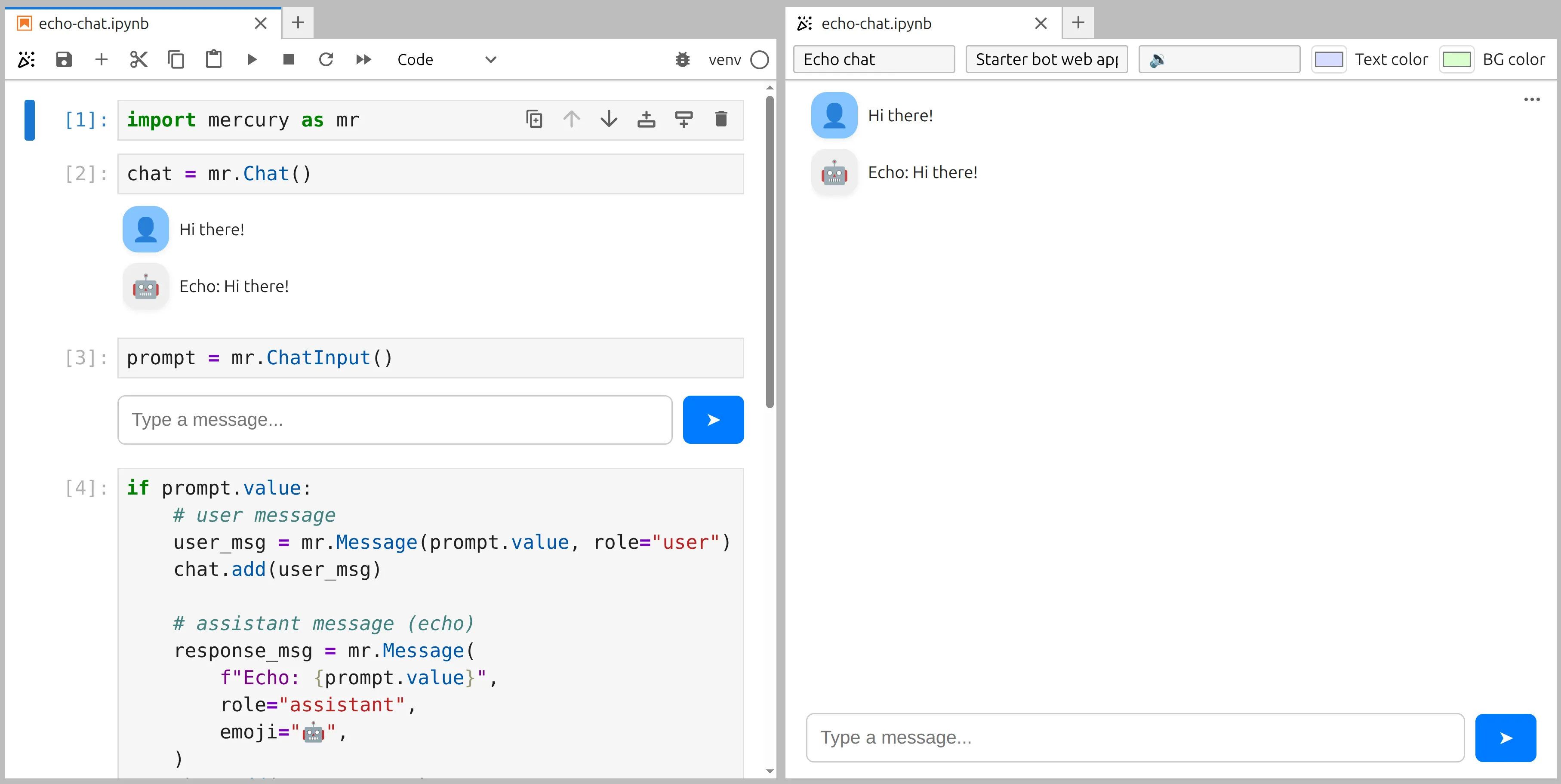
The live web app:
1. Import Mercury
Section titled “1. Import Mercury”In the first notebook cell, import Mercury:
import mercury as mrWe will use mr alias to create all widgets.
2. Create the chat area
Section titled “2. Create the chat area”In the next cell, create a place where all messages will be displayed:
chat = mr.Chat()Yes, it is that simple :)
3. Add an input for the user prompt
Section titled “3. Add an input for the user prompt”Now we need ChatInput to let the user type a message:
prompt = mr.ChatInput()When user enters the text and send it, this automatically re-execute cells below.
4. Echo the message back
Section titled “4. Echo the message back”In the next cell, we will:
- Create a message from the user input
- Add it to the chat
- Create the assistant response (
Echo: ...) - Add it to the chat
if prompt.value:    # user message    user_msg = mr.Message(prompt.value, role="user")    chat.add(user_msg)
    # assistant message (echo)    response_msg = mr.Message(        f"Echo: {prompt.value}",        role="assistant",        emoji="🤖",    )    chat.add(response_msg)
How it works
Section titled “How it works”prompt.valuecontains the latest user input.mr.Message(..., role="user")creates a message from the user.mr.Message(..., role="assistant")creates a message from the bot.chat.add(...)appends messages to the chat view.
Next steps
Section titled “Next steps”This echo bot is a great starting point. Next you can:
- Replace the echo response with an LLM call (OpenAI, Ollama, OpenRouter, Anthropic, Mistral, Bielik, etc.).
- Add system prompts and tools for an agent-like chat.
- Build interactive responses with charts and tables.